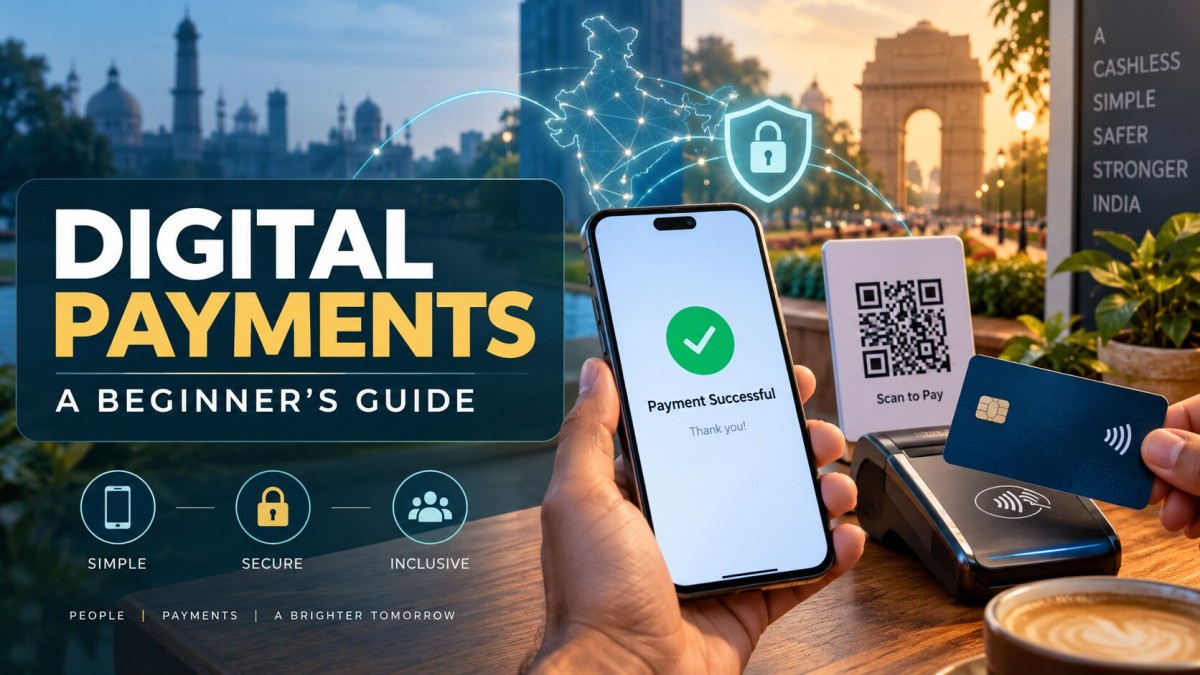

Digital Payments in India: A Beginner’s Guide
Understand how digital payments work in India. Learn about UPI, cards, mobile wallets, internet banking, NEFT, RTGS and IMPS, along with their benefits, risks and essential safety practices.
Digital Payments in India: A Beginner’s Guide
From paying a local shopkeeper to transferring money to a family member, digital payments have become part of everyday life. People can now pay bills, shop online, recharge mobile phones and send money without visiting a bank or carrying cash.
A digital payment can be completed within seconds, but convenience should always be combined with proper security awareness.
This beginner-friendly guide explains what digital payments are, how they work, their major types, benefits, risks and the precautions you should follow while making an online transaction.
What Is a Digital Payment?
A digital payment is a financial transaction completed through an electronic channel without directly exchanging physical cash.
The payment may be made using:
-
A smartphone
-
A debit or credit card
-
Internet banking
-
A mobile wallet
-
A QR code
-
A bank-transfer service
-
A wearable or contactless payment device
For example, when a customer scans a shop’s QR code and pays using a UPI application, money is transferred electronically from the customer’s account to the merchant.
Digital payments can be used for both:
-
Person-to-person payments, such as sending money to a friend
-
Person-to-merchant payments, such as paying a shop, restaurant or online business
How Do Digital Payments Work?
Although a digital transaction may appear instant, several steps happen in the background.
Step 1: The Customer Starts the Payment
The customer enters the payment details, scans a QR code or selects a saved payment option.
Step 2: Identity Is Authenticated
The payment system verifies the user through a security method such as:
-
UPI PIN
-
Card PIN
-
OTP
-
Password
-
Device authentication
-
Biometric authentication, where supported
Step 3: The Payment Request Is Processed
The bank, card network or payment system checks the transaction details and whether the required funds or credit are available.
Step 4: The Transaction Is Approved or Declined
If the information is correct and the transaction passes the necessary checks, it is authorised. Otherwise, it may be declined.
Step 5: Confirmation Is Sent
The customer and merchant usually receive a payment confirmation through the application, SMS, email or payment terminal.
The exact process depends on the payment method being used.
Major Types of Digital Payments in India
India offers several digital payment methods. Each method serves a different purpose.
1. Unified Payments Interface
Unified Payments Interface, commonly known as UPI, allows users to transfer money between bank accounts using a mobile application.
A user may make a payment through:
-
A UPI ID
-
Mobile number, where supported
-
Bank-account details
-
QR code
-
Saved beneficiary
-
Approved payment request
According to NPCI, UPI supports immediate mobile-based money transfers throughout the day and can provide access to different bank accounts through a single application.
UPI is commonly used for:
-
Paying merchants
-
Sending money to friends or family
-
Paying utility bills
-
Mobile recharges
-
Online shopping
-
Subscription payments
-
Loan or insurance payments
2. Debit and Credit Cards
A debit card generally uses money available in the customer’s bank account.
A credit card allows the cardholder to make eligible purchases using a credit facility provided by the card issuer. The borrowed amount must later be repaid according to the card’s terms.
Cards may be used through:
-
Point-of-sale machines
-
Online payment gateways
-
Contactless terminals
-
Mobile applications
-
Recurring-payment arrangements
Customers should understand applicable fees, billing dates and repayment conditions before using a credit card.
3. Internet Banking
Internet banking allows customers to access banking services through a bank’s official website or application.
Depending on the bank, users may be able to:
-
Transfer money
-
Pay bills
-
Review account statements
-
Add beneficiaries
-
Manage deposits
-
Check transaction history
-
Control certain card settings
Always access internet banking through the bank’s official website or verified application.
4. Mobile Wallets
A mobile wallet is a digital facility that may store monetary value or payment information for eligible transactions.
Wallets may be used for shopping, recharges, bill payments and merchant transactions, depending on the provider and wallet type.
A wallet and UPI are not the same. A wallet may use a separately maintained balance, while a standard UPI payment generally transfers money between linked bank accounts.
5. IMPS
Immediate Payment Service, or IMPS, is an electronic bank-transfer service commonly used for transferring money between accounts.
It is useful when the sender wants to make an immediate bank transfer using supported account or beneficiary details.
6. NEFT
National Electronic Funds Transfer, or NEFT, is a bank-operated electronic funds-transfer system.
It is commonly used for personal and business payments, including transfers to suppliers, customers, family members or other bank accounts.
7. RTGS
Real Time Gross Settlement, or RTGS, is generally designed for eligible high-value transfers that require real-time settlement.
NEFT, RTGS and other bank-transfer services may have different eligibility conditions and operating rules. Customers should verify the current details with their bank or the RBI’s official payment-system information.
8. QR-Code Payments
A QR code contains payment-related information that can be scanned using a compatible application.
Before approving a QR payment, always check:
-
The merchant or receiver’s name
-
The payment amount
-
The selected bank account
-
The purpose of the payment
Scanning a QR code is normally associated with making a payment. You should not enter a UPI PIN simply to receive money.
9. Digital Rupee
The digital rupee, or e₹, is a digital form of India’s currency issued by the Reserve Bank of India.
RBI states that eligible users can hold and transact in e₹ through wallets offered by participating banks and non-banks for person-to-person or person-to-merchant payments.
UPI, Card and Wallet: What Is the Difference?
These methods may appear similar, but they work differently.
UPI
UPI generally transfers money directly between linked bank accounts. The user authorises the payment through a UPI application.
Debit Card
A debit-card payment normally uses funds available in the linked bank account.
Credit Card
A credit-card payment uses an approved credit facility that must be repaid later.
Mobile Wallet
A wallet may use a stored balance or a linked funding method, depending on the service and transaction.
The best payment option depends on the transaction type, available facilities, security needs and any applicable fees or limits.
Benefits of Digital Payments
Digital payments offer several practical advantages.
Fast and Convenient
Users can make many payments without visiting a bank, ATM or payment office.
Available Across Locations
Digital payments can help people send money or pay businesses even when they are in different cities.
Easy Transaction Records
Digital transactions usually create an electronic record, making it easier to review payments and organise personal or business accounts.
Helpful for Businesses
Businesses can accept payments through QR codes, cards and online links. This can reduce dependence on physical cash and make transaction tracking easier.
Supports Bill Payments
Electricity bills, mobile recharges, insurance premiums and other eligible payments may be completed digitally.
Reduced Need to Carry Cash
Users do not need to carry large amounts of cash for routine transactions.
Better Expense Tracking
Bank statements and application histories can help users understand when and where they spent their money.
Risks Associated With Digital Payments
Digital payments are convenient, but they also involve risks.
Phishing
Fraudsters may send fake links or create websites that resemble official banking pages to steal passwords and financial information.
Fake Customer-Care Numbers
A person may find an unofficial support number through a search result or social-media post and unknowingly contact a fraudster.
UPI Collect-Request Fraud
A fraudster may send a payment request and falsely claim that approving it will allow the victim to receive money.
QR-Code Scams
A fraudster may ask someone to scan a QR code and enter a PIN while claiming that money will be credited.
Screen-Sharing Applications
Unknown people may ask users to install screen-sharing or remote-access software. Such applications may expose sensitive information or allow unauthorised device control.
OTP and PIN Theft
Fraudsters may pretend to be bank employees, government officials or customer-support agents and ask for confidential credentials.
SIM-Related Fraud
A criminal may attempt to gain control of a victim’s mobile number, which can affect banking and authentication services.
Public Network Risks
Conducting financial transactions through an unknown or unsecured public Wi-Fi network may increase security risks.
Essential Digital-Payment Safety Tips
Following a few basic precautions can significantly improve payment safety.
Never Share Confidential Information
Do not share your:
-
OTP
-
UPI PIN
-
ATM or card PIN
-
CVV
-
Internet-banking password
-
Complete card information
A legitimate bank employee or payment-support representative should not ask you to reveal your confidential PIN or password.
Remember: A UPI PIN Is Used to Authorise a Payment
NPCI advises that a UPI PIN is entered to deduct money, not to receive it. It also recommends checking the receiver’s name before completing a transfer.
Check the Receiver Carefully
Verify the receiver or merchant name before entering your PIN. If the displayed name appears unfamiliar, cancel the transaction and confirm the details independently.
Use Official Applications
Download banking and payment applications only from trusted application stores. Confirm the developer and application name before installation.
Do Not Click Unknown Payment Links
Avoid links received through suspicious messages, emails or social-media accounts.
Avoid Unknown Screen-Sharing Applications
Never install a remote-access application at the request of an unknown customer-care representative.
Set Transaction Limits
Where available, set reasonable limits for UPI, cards and online banking. Smaller limits may reduce potential losses if an account is compromised.
Enable Alerts
Keep SMS, email and application notifications active so that unauthorised transactions can be identified quickly.
Use a Secure Phone Lock
Protect your phone with a strong PIN, password or supported biometric lock.
Keep Applications Updated
Updates may contain important security improvements. Keep the operating system, banking applications and payment applications updated.
Avoid Public Wi-Fi for Payments
Use a trusted mobile network or secure private connection for financial transactions.
Review Bank Statements
Regularly check bank and wallet statements to identify unfamiliar payments.
What Should You Do If a Payment Fails?
A transaction may fail because of network problems, bank-server issues, incorrect information or system delays.
If a payment fails:
-
Check the transaction status in the application.
-
Review your bank balance and account statement.
-
Do not immediately repeat the payment without checking whether money was deducted.
-
Save the transaction reference number and screenshot.
-
Contact the bank or payment application through its official support channel.
-
Monitor the account for an automatic reversal.
-
Follow the complaint process if the issue remains unresolved.
Resolution periods can vary according to the payment system and the type of failure. RBI has prescribed turnaround and compensation frameworks for certain failed transactions.
What Should You Do After Digital-Payment Fraud?
Act quickly if you notice an unauthorised transaction.
Block or Secure the Payment Method
Use the official banking application or helpline to block the affected card, account access or payment facility.
Inform the Bank Immediately
Report the transaction to your bank or payment provider through an official channel.
Change Relevant Credentials
Change your banking password, application PIN and device credentials where appropriate.
Preserve Evidence
Keep screenshots, messages, transaction references, telephone numbers and other relevant information.
File a Cybercrime Complaint
Use the official cybercrime-reporting mechanism applicable to your location.
Escalate an Unresolved Complaint
The first complaint should normally be raised with the bank or regulated payment provider. Eligible unresolved complaints may subsequently be filed through RBI’s Complaint Management System under the applicable ombudsman framework.
Digital Payments for Small Businesses
Digital payments can help a small business collect money and maintain better transaction records.
Businesses may accept payments through:
-
Merchant QR codes
-
Card terminals
-
Payment links
-
Bank transfers
-
Online payment gateways
-
Recurring-payment arrangements
However, receiving money digitally does not automatically complete the accounting process.
A business should also:
-
Issue appropriate invoices
-
Reconcile payments with orders
-
Check settlement reports
-
Record refunds and failed transactions
-
Separate personal and business receipts
-
Monitor payment-processing charges
-
Keep customer data secure
Common Digital-Payment Mistakes
Avoid these common mistakes:
-
Approving a collect request without understanding it
-
Entering a PIN to receive money
-
Ignoring the receiver’s displayed name
-
Using unofficial customer-care numbers
-
Sharing an OTP with another person
-
Saving card information on an untrusted website
-
Making repeated payments after a delayed confirmation
-
Allowing strangers to access the phone remotely
-
Keeping very high transaction limits unnecessarily
-
Ignoring unfamiliar low-value transactions
Even a small unknown transaction should be investigated because it may indicate that payment details have been compromised.
How to Choose a Digital-Payment Method
Before selecting a payment method, consider:
Transaction Purpose
A small merchant payment may be convenient through UPI, while a different bank-transfer method may be more appropriate for another type of transaction.
Speed
Check whether the payment needs to be completed immediately or can be scheduled.
Cost
Review any charges that may apply to the user or merchant.
Transaction Limit
Different banks, applications and payment systems may apply different limits.
Security
Use a payment method that provides proper authentication, notifications and dispute-support facilities.
Acceptance
Confirm that the receiver can accept the selected method.
Recordkeeping
Businesses should select payment methods that make reconciliation and accounting easier.
Frequently Asked Questions
Is a UPI PIN required to receive money?
No. A UPI PIN is used to authorise a transaction that deducts money from your account. Do not enter it merely to receive money.
Is UPI the same as a mobile wallet?
No. UPI generally facilitates transfers involving linked bank accounts, while a wallet may use a separately maintained balance or another funding arrangement.
Can a digital payment fail after money is deducted?
Yes. Temporary technical or network issues may cause this situation. Save the transaction details, check the status and contact the bank or payment provider through official channels if the amount is not reversed or credited.
Should I scan a QR code to receive money?
Be cautious. Scanning a QR code and entering a UPI PIN usually authorises a payment from your account. Verify the purpose before proceeding.
Is every digital transaction free?
Not necessarily. Charges can depend on the payment method, service provider, bank, merchant arrangement and type of transaction. Check the current terms before making a payment.
Can I cancel a digital payment after sending it?
Many successfully completed transfers cannot simply be cancelled. Always verify the receiver and amount before authorising a transaction.
Conclusion
Digital payments have made it easier to transfer money, pay bills and purchase products without physical cash. UPI, cards, mobile wallets and bank-transfer systems each provide different features for individuals and businesses.
However, speed and convenience should never replace caution.
Always verify the receiver, use official applications, protect your OTP and PIN, and review transaction alerts carefully. If something appears suspicious, cancel the transaction and contact your bank through an official channel.
A digital payment is most useful when it is not only quick but also secure, verified and properly recorded.
Disclaimer: This article is for general educational purposes only. Payment features, limits, fees, eligibility requirements and complaint procedures may change. Users should verify current information through their bank, payment provider, NPCI or the Reserve Bank of India.
What's Your Reaction?
Like
0
Dislike
0
Love
0
Funny
0
Wow
0
Sad
0
Angry
0
Comments (0)