

How to Choose the Right Software and Apps: Features, Cost and Privacy
A practical guide to comparing software and apps by workflow, features, total cost, privacy, security, data portability, integrations and long-term support.
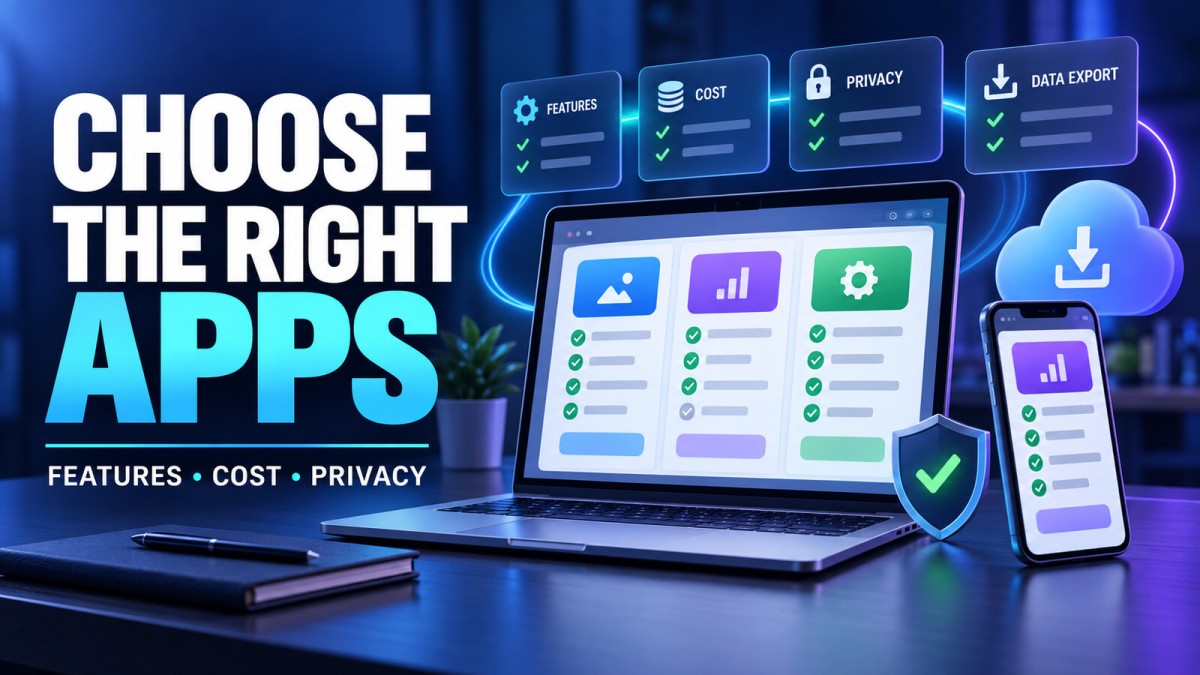
The right software can shorten a task, reduce errors and keep information organised. The wrong tool can create duplicate work, unexpected fees, privacy concerns and a difficult migration later. A popular app is not automatically the best choice for your needs.
This practical guide explains how individuals and small businesses can compare mobile apps, desktop programs and web-based services. It covers requirements, trials, total cost, privacy, security, data export, integrations, accessibility and cancellation—so you can make a decision based on the complete workflow rather than an advertisement or feature count.
Software and Apps: What Is the Difference?
Software is the broad term for programs and instructions that allow computers and devices to perform tasks. Operating systems, device drivers, databases, creative programs and security tools are all software.
An app, short for application, is software designed for a user-facing purpose such as messaging, accounting, editing, learning or project management. Every app is software, but not every kind of software is normally called an app.
The label matters less than understanding how the product is delivered, where your data is stored and whether it works with your devices and workflow.
Start With the Task, Not the Product
Before searching for tools, write down the job you need to complete. “I need an accounting app” is broad. “I need to create GST invoices, record partial payments and export monthly reports for my accountant” is specific enough to compare products.
Describe the real workflow
- Who will use the tool?
- What information goes into it?
- What steps must the user complete?
- What result or file must come out?
- Which devices and locations will be used?
- Does the task require internet access?
- Which mistakes or delays would cause serious problems?
Include the situation before and after the app. A video editor may need to receive files from a client, edit on a computer, review on a phone, export in several formats and archive the project. Testing only the editing screen misses most of that workflow.
Separate Must-Have and Nice-to-Have Features
Long feature lists make products difficult to compare. Divide requirements into three groups:
- Essential: The tool cannot be used successfully without this capability.
- Important: The feature saves meaningful time or reduces risk.
- Optional: Useful, but not necessary for the current task.
Give extra weight to features used every day. A rare advanced function should not outweigh a reliable basic workflow. Ask each user to describe real tasks instead of voting for attractive features without context.
| Requirement | Priority | How to test |
|---|---|---|
| Export customer records | Essential | Download a sample and open it elsewhere |
| Works on Android and web | Essential | Complete the same task on both |
| Automatic reminders | Important | Create, edit and cancel a test reminder |
| Custom colour themes | Optional | Review after core workflow passes |
Understand the Main Delivery Models
Mobile apps
Mobile apps are useful for work that happens on the move: communication, scanning, navigation, field service, payments and quick content creation. Check screen usability, battery use, permissions, offline behaviour and compatibility with your device and operating-system version.
Desktop applications
Desktop software can be suitable for demanding creative, engineering or data tasks. Review processor, memory, graphics, storage and operating-system requirements. Confirm how licences work when replacing or adding a computer.
Web apps and cloud services
Web apps can simplify access across devices and centralise updates. They may depend heavily on internet access and the provider's continued service. Test browser support, performance on your actual connection, data export and offline limitations.
Self-hosted software
Self-hosting may provide greater technical control, but it also creates responsibility for installation, updates, backups, security, monitoring and recovery. “No monthly subscription” does not mean no operating cost.
Compare the Complete Cost
The advertised monthly price is only one part of the total cost. A cheap tool can become expensive when essential features require a higher plan or when migration and training take significant time.
Costs to check
- Monthly or annual subscription
- Price per user, workspace, device or location
- Storage and data-transfer limits
- Paid exports, watermarks or quality restrictions
- Transaction or payment-processing fees
- Required add-ons, integrations or API usage
- Training, setup and data migration
- Support tiers and response commitments
- Automatic renewal and cancellation terms
- Taxes and currency conversion where applicable
Compare products using the same time period and realistic number of users. An annual discount may be valuable only after the workflow has been tested. Set a calendar reminder before a trial or renewal date and keep a record of who controls billing.
Run a Real Trial, Not a Feature Tour
A polished demo shows the product under ideal conditions. Your trial should use a small, non-sensitive version of real work from beginning to end.
- Create a test account using the normal sign-up path.
- Import or enter a realistic sample.
- Complete the most frequent task.
- Invite another user if collaboration matters.
- Trigger an error and test recovery.
- Use the mobile or desktop version you actually need.
- Export the result and open it outside the tool.
- Find billing, privacy, help and account-deletion controls.
Record the time, confusion, missing features and extra steps. Do not move sensitive customer or business data into a trial until the product's privacy, security and contractual terms are suitable.
Review Privacy Before You Install or Subscribe
Privacy questions depend on the information the tool handles. A simple calculator and a health-record app should not receive the same level of review.
Questions to ask
- What data does the product collect?
- Which data is required and which is optional?
- Why is each type of data used?
- Is information shared with service providers or other third parties?
- How long is data retained?
- Can you download and delete your information?
- Does the tool use customer content for advertising, analytics or model training?
- What happens to data after account cancellation?
- How are policy changes communicated?
Mobile app stores provide privacy information that can support comparison. Google Play's Data safety section is designed to show developer-provided information about data collection, sharing and security practices. Apple also requires privacy details for App Store product pages. These disclosures are useful starting points, but users should still review permissions, policies and actual product behaviour.
Check Permissions in Context
A permission should have a clear relationship to a feature you intend to use. A navigation app may reasonably request location while providing directions. A basic wallpaper app requesting contacts or microphone access deserves closer examination.
- Grant access only when the feature needs it.
- Prefer limited photo or location access when the device offers that choice.
- Review permissions again after major updates.
- Remove access when a feature or app is no longer used.
- Be cautious when an app refuses to work without unrelated permissions.
Permission names alone do not explain every data practice, so combine device settings with the product's privacy disclosures.
Evaluate Account and Security Controls
No checklist can prove that a product is secure, but visible practices can help you identify basic strengths and gaps.
- Is multi-factor authentication available for important accounts?
- Can administrators manage roles and remove former users?
- Are security updates delivered through a trustworthy channel?
- Does the vendor publish clear support and vulnerability-reporting information?
- Can active sessions and connected devices be reviewed?
- Are login, billing and administrative changes recorded?
- Is data encrypted in transit, and are additional protections explained?
- Is there a documented backup and recovery approach?
Use a unique password through a reputable password manager and enable multi-factor authentication where available. Download apps from the official developer website or a trusted store, verify the publisher and avoid cracked software. Modified installers can create security, legal and reliability risks.
Check Data Portability and Lock-In
Your information may become more valuable than the software itself. Before committing, export a sample. Check whether files use a common format, whether attachments are included and whether relationships between records survive the export.
Ask what happens if you exceed a plan limit, miss a payment or close the account. Some services offer only a short export window after cancellation. Document the process while you still have access.
Portability checklist
- Core records can be exported in a usable format.
- Original media or documents can be downloaded.
- Exports include dates, categories and other important fields.
- There is a practical way to import the data elsewhere.
- Account deletion and retention rules are explained.
- Critical information also has an independent backup.
Test Integrations Instead of Assuming They Work
An integration logo does not guarantee that every field, trigger or permission is supported. Create a test connection and inspect what moves in both directions.
Check which system is the source of truth, how duplicates are handled, what happens when access expires and whether failed automation produces an alert. Review any additional fees or usage limits for APIs and automation tools.
Measure Reliability and Performance
Speed and reliability should be tested on the devices, files and networks that represent real use. A creative app may work smoothly with a demo image but fail with a large project. A cloud tool may be fast in the office and frustrating on a mobile connection.
- Test startup and common task completion.
- Use realistic file sizes and record counts.
- Check autosave and recovery after interruption.
- Review offline or poor-network behaviour.
- Look for a public service-status page where relevant.
- Understand whether backups can be restored, not merely created.
For business-critical systems, ask what support and recovery are available during an outage. Marketing claims such as “always available” should not replace a continuity plan.
Consider Ease of Use and Accessibility
Ease of use depends on the person and task. A tool for a trained editor can expose more complexity than an app used occasionally by a shop employee. Include actual users in the trial.
Check keyboard access, readable text, contrast, focus indicators, captions, screen-reader support, zoom, touch-target size and motion controls where relevant. Accessibility helps people with disabilities and often improves clarity for everyone, but a vendor badge should not replace hands-on evaluation.
Review documentation and training quality. A slightly simpler product with clear help may produce better results than a powerful system nobody understands.
Assess the Vendor and Product Lifecycle
A product choice is also a provider choice. Look for a real publisher identity, current support information, understandable terms, recent updates and a credible way to report problems.
Recent updates do not automatically mean quality, and an older interface does not automatically mean poor software. Focus on compatibility, security maintenance, support and whether changes are communicated responsibly.
Warning signs
- The publisher cannot be reasonably identified.
- The download is available only through suspicious mirrors.
- The product makes unrealistic performance or income promises.
- Pricing hides the plan required for advertised features.
- Cancellation or data export information is difficult to find.
- Support requests receive no meaningful path for resolution.
- The app requests unrelated access without explanation.
- Reviews show repeated unresolved billing or data-loss complaints.
Special Questions for AI-Powered Tools
AI features can speed up writing, design, analysis or support, but they introduce additional questions. Check whether customer prompts and uploaded files are retained, reviewed by humans or used to improve models. Understand whether the output can be inaccurate and who must review it.
- Do not upload confidential or regulated information without approval.
- Verify important facts, calculations and references.
- Check usage rights for generated output and uploaded material.
- Plan for service limits, changing models and inconsistent results.
- Keep human review for decisions affecting money, health, employment, safety or legal rights.
Create a Simple Decision Matrix
A decision matrix makes tradeoffs visible. Assign each requirement a weight based on importance, score every product using the same evidence and write a short note explaining the score.
| Area | Suggested weight | Evidence |
|---|---|---|
| Core workflow | High | Completed trial task |
| Privacy and security | High | Permissions, policies and controls |
| Total cost | High | Real plan, users, add-ons and fees |
| Data portability | High | Test export and import |
| Ease of use | Medium | User observation and errors |
| Integrations | Variable | Live connection test |
| Optional features | Low | Only after essentials pass |
Do not hide a critical failure inside an average score. A product that cannot export essential records should be rejected even if it performs well in less important categories.
Roll Out Business Software Carefully
For a team, begin with a small pilot. Assign an owner, define who can change settings and decide where official records will live. Train users with real tasks and provide one place for help.
- Back up source data before migration.
- Test field mapping with a small sample.
- Verify totals, dates, attachments and permissions.
- Run old and new processes in parallel only when needed.
- Set a clear cutover date and support plan.
- Remove unnecessary access after the transition.
- Review usage, cost and problems after the first month.
Cancel and Uninstall Properly
Deleting an app does not always cancel its subscription or delete its account. Before leaving a product:
- Export the information and confirm the files open.
- Transfer ownership of shared workspaces.
- Remove integrations, tokens and connected devices.
- Cancel billing through the correct store or provider.
- Request data or account deletion if appropriate.
- Keep confirmation emails and final invoices.
- Remove the app and remaining local files when safe.
- Verify that recurring charges stop.
A Practical Seven-Step Selection Process
- Define: Write the user, task, required output and constraints.
- Shortlist: Select two or three credible tools that meet essential requirements.
- Investigate: Review cost, permissions, privacy, support and portability.
- Test: Complete the same real workflow in every candidate.
- Compare: Use a weighted matrix and reject critical failures.
- Pilot: Start with limited data, users and commitment.
- Review: Reassess value, cost, access and risk after real use.
Frequently Asked Questions
Is paid software always better than free software?
No. A free or open-source tool may meet the task well, while a paid product may provide support, collaboration or specialised features. Compare the complete workflow, costs and responsibilities.
Should I choose one all-in-one app?
An all-in-one product can reduce integrations, but it may be weaker in important specialised tasks or increase lock-in. Choose it only when the combined workflow performs well in testing.
Can I trust app-store privacy labels?
They are useful information supplied through store requirements, but they should be one part of the review. Also consider requested permissions, the privacy policy, account controls and how the product behaves.
How many tools should I compare?
Two or three serious candidates are often enough for a practical trial. A very large list can consume time without improving the decision.
Is annual billing a good idea?
It can reduce cost when the product is already proven and cancellation terms are understood. Avoid a long commitment based only on a short demo or discount countdown.
What should I do if an app closes down?
Maintain independent backups and know how to export data before a crisis. For critical work, document an alternative process or replacement tool.
How often should software be reviewed?
Review important tools at least periodically and whenever pricing, ownership, security, workflow or team needs change. Remove unused access and subscriptions promptly.
Final Takeaway
The best software is not the product with the longest feature list. It is the tool that helps the intended users complete an important task reliably, at a transparent cost, with acceptable privacy, security and portability. Define the workflow, test it with realistic data, examine how you can leave and begin with a limited commitment. A careful selection process saves far more time than repeatedly switching tools after problems appear.
Useful Official References
Disclaimer: This article provides general educational information. Privacy, security, tax, contractual and regulatory requirements vary by product, organisation and location. Review current official documentation and obtain qualified advice for high-risk or regulated decisions.
What's Your Reaction?
 Like
0
Like
0
 Dislike
0
Dislike
0
 Love
0
Love
0
 Funny
0
Funny
0
 Wow
0
Wow
0
 Sad
0
Sad
0
 Angry
0
Angry
0

Software developer with expertise in full-stack web development and financial market analysis, specializing in building tracking tools for trading metrics.






Comments (0)