

Crypto Wallet Security: Hot vs Cold Wallets and Safe Self-Custody
Learn how crypto wallets work and protect private keys with hot and cold storage, secure seed backups, test transfers, phishing defence and recovery planning.
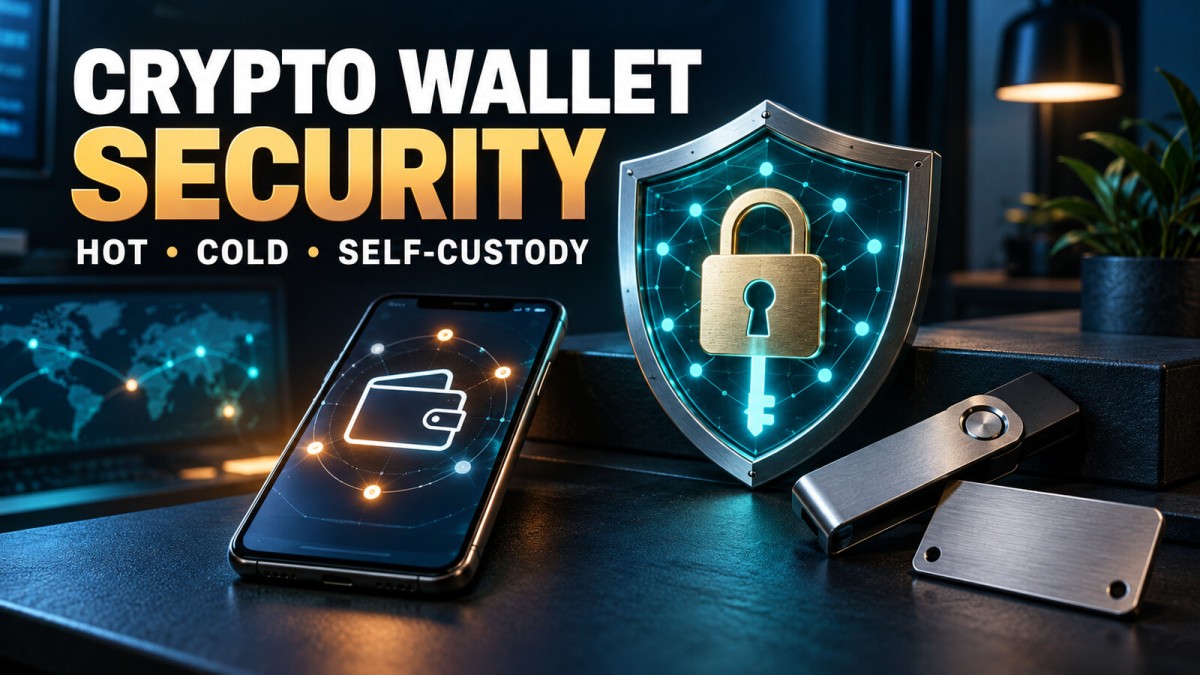
A crypto wallet does not store digital coins in the same way that a physical wallet stores cash. It manages the cryptographic keys used to view balances and authorise transactions recorded on a blockchain. Whoever gains control of the relevant private key or recovery phrase may be able to move the assets.
This makes wallet security an operational responsibility, not a one-time app setting. Hot wallets are convenient, cold wallets reduce online exposure, exchanges simplify access and self-custody gives the user more control. Each choice also creates different failure risks.
This guide explains those trade-offs and provides a practical security process without recommending a particular wallet, exchange or cryptoasset.
The Three Ideas Every Wallet User Must Understand
Public Address
A public address is used to receive assets on a compatible network. Sharing an address is generally different from sharing a password, but privacy concerns remain because blockchain activity may be publicly traceable.
Private Key
A private key authorises control over the assets associated with an address. It must remain secret. Anyone who obtains it may be able to sign transactions, and legitimate support staff should never ask for it.
Recovery or Seed Phrase
Many wallets create a sequence of recovery words that can regenerate the wallet’s keys. This phrase is effectively a master backup. A wallet password may protect access on one device, but the recovery phrase can often restore control elsewhere.
Never type a recovery phrase into a website, message, cloud form or support chat. Do not include it in screenshots or photographs.
Custodial vs Self-Custody Wallets
| Feature | Custodial service | Self-custody wallet |
|---|---|---|
| Who controls keys? | The platform or custodian | The user |
| Password recovery | Account recovery may be available | Usually depends on the recovery backup |
| Main risk | Platform failure, freeze, hack or account takeover | Lost backup, phishing, malicious signing or user error |
| Responsibility | Shared with the service provider | Primarily the user’s responsibility |
Custody is not automatically safe or unsafe. A regulated or well-run provider can still face operational problems, while an inexperienced self-custody user can lose access through a simple mistake. Choose based on the amount, purpose, frequency of use and your ability to maintain a recovery process.
Hot Wallets
A hot wallet operates on a device connected to the internet, such as a phone, browser or desktop computer. It is convenient for frequent transactions and decentralised applications.
Advantages
- Fast access for everyday transactions
- Easy interaction with online applications
- Usually simpler for small test transfers
- Can be installed without separate hardware
Risks
- Phishing websites and fake applications
- Malware, clipboard replacement and screen capture
- Malicious browser extensions
- Unsafe contract approvals
- Device theft or weak device security
A practical approach is to treat a hot wallet like spending cash: keep only the amount required for current activity and separate it from long-term holdings.
Cold Wallets
A cold wallet keeps signing keys offline or isolated from a general-purpose internet-connected device. A hardware wallet is a common form, but “cold” describes the security setup rather than a brand.
Advantages
- Private keys can remain isolated during normal use
- Reduced exposure to some phone and browser attacks
- Suitable for assets that are not moved frequently
Risks
- Fake or tampered devices
- Lost recovery backups
- Incorrect setup or unverified addresses
- Malicious transaction details displayed on a computer
- Physical theft, fire or water damage
- Overconfidence caused by owning special hardware
A hardware wallet cannot protect a user who willingly enters the seed phrase into a fake website or approves a harmful transaction. Always verify critical details on the trusted device display where supported.
Wallet Type Comparison
| Wallet type | Convenience | Online exposure | Common use |
|---|---|---|---|
| Exchange account | High | Platform and account dependent | Trading and conversion |
| Mobile hot wallet | High | Higher | Smaller everyday activity |
| Browser wallet | High for web applications | Higher | Decentralised-app interaction |
| Hardware wallet | Moderate | Lower when used correctly | Less frequent, longer-term storage |
| Multi-signature setup | Lower | Depends on key design | Larger balances or shared control |
Lower online exposure does not mean zero risk. The recovery design and user behaviour remain critical.
How to Set Up a Self-Custody Wallet More Safely
- Choose the use case. Decide whether the wallet is for small transactions, long-term storage or application access.
- Use the official source. Verify the website, application publisher and download link independently.
- Prepare a private environment. Avoid public screens, cameras and shared devices during setup.
- Create a new wallet on the trusted device. Do not accept a pre-written recovery phrase supplied with hardware.
- Record the recovery phrase offline. Copy it accurately without photographing or uploading it.
- Verify the backup. Use the wallet’s supported verification process before transferring meaningful value.
- Secure the device. Use a strong PIN, current software and automatic screen locking.
- Test with a small transfer. Confirm the address, network and access before sending a larger amount.
- Document the recovery plan. Ensure legitimate access is possible if the primary device fails.
Never generate a seed phrase using a random website, AI assistant or ordinary password generator. Use the wallet’s trusted cryptographic process.
Recovery Phrase Storage
A backup must resist both unauthorised access and accidental destruction. Consider:
- Keeping it offline in a private physical location
- Using durable material where fire or water is a concern
- Separating wallet devices from recovery backups
- Avoiding one obvious location that can be stolen with the device
- Testing that the words and order are accurate
- Creating an inheritance process that does not expose the secret today
Do not create many uncontrolled copies. Each copy improves redundancy but also creates another theft opportunity. The right balance depends on the household and threat model.
Password, PIN and Optional Passphrase
A device PIN or wallet password commonly protects local access. It is not always a substitute for the recovery phrase. If the recovery phrase is compromised, changing the local password may not protect the assets.
Some wallets support an additional passphrase that creates a different wallet. This can improve security but also creates another way to lose access. A forgotten passphrase generally cannot be recovered. Beginners should understand the exact recovery process before enabling advanced features.
Always Verify the Network and Address
A token can exist across different networks, and an exchange may support only specific deposit routes. Sending to an incompatible network or unsupported asset may cause permanent loss or require a difficult recovery.
Before approving a transfer:
- Confirm the asset and network at both ends.
- Check the entire address, not only the first and last characters.
- Be alert to clipboard malware that replaces copied addresses.
- Use a saved address only after confirming it remains correct.
- Send a small test amount for a new route.
- Wait for confirmation before sending the remainder.
Address-Poisoning and Dust Transactions
Attackers may send a tiny transaction from an address that resembles one you used previously. The goal is to make you copy the attacker’s address from transaction history. Do not choose an address merely because it looks familiar. Verify it against an independently stored trusted source.
Wallet-Connection and Smart-Contract Risks
Connecting a wallet can reveal addresses to a website. Signing a message or transaction may grant permissions or move assets. A prompt that says “sign in” is not automatically harmless.
Before signing:
- Verify the domain carefully.
- Read the wallet prompt and transaction details.
- Question unlimited token approvals.
- Use a separate wallet for experimental applications.
- Review and revoke unnecessary permissions using a trusted method.
- Reject any prompt you do not understand.
Disconnecting a website in the browser does not necessarily revoke an on-chain approval.
Phishing and Fake Support
Common attacks imitate wallet companies, exchanges or administrators. They may claim that an account is at risk, a wallet needs “verification” or funds can be recovered.
Warning signs include:
- An unsolicited direct message offering support
- Urgent requests to connect a wallet
- A website asking for the seed phrase
- A browser extension recommended in a chat
- Requests to pay a “release” or “recovery” fee
- Remote-access or screen-sharing instructions
- Giveaways requiring a deposit first
Navigate through a verified bookmark or independently typed official address instead of a message link.
Exchange Account Security
If assets remain on an exchange, protect both the exchange account and connected email:
- Use unique passwords stored in a reputable password manager.
- Enable app- or hardware-based multi-factor authentication where supported.
- Turn on withdrawal allowlists and anti-phishing codes if available.
- Review active sessions and authorised devices.
- Disable unused API keys and restrict necessary keys.
- Avoid SMS as the only protection when stronger options exist.
- Confirm withdrawals through a clean device and trusted network.
Security settings reduce account-takeover risk but cannot remove exchange solvency or operational risk.
Software and Device Hygiene
- Install operating-system and wallet updates from official sources.
- Remove unnecessary browser extensions.
- Avoid pirated software and unknown files.
- Use device encryption and a strong screen lock.
- Do not perform wallet activity on public or shared computers.
- Consider a separate browser profile or device for higher-value activity.
- Back up essential non-secret records securely.
Before updating wallet firmware, verify the process and confirm that a tested recovery backup exists.
Multi-Signature Wallets
A multi-signature wallet requires more than one key to authorise a transaction. It can reduce dependence on a single device or person and may help organisations or families design shared control.
It also adds complexity. Poorly distributed backups, unavailable signers or misunderstanding the recovery threshold can lock funds. Use it only after documenting and testing the complete process with small amounts.
Inheritance and Emergency Access
A secure wallet that nobody can recover after the owner’s death may fail its purpose. An inheritance plan can separate instructions from secrets and involve appropriate legal documents or trusted parties.
Do not place a seed phrase directly in an ordinary email or an easily accessible note. Explain where approved instructions can be found, what technical steps are required and which professionals may assist. Review the plan after changing wallets or backups.
If You Suspect a Wallet Is Compromised
- Stop interacting with suspicious websites or applications.
- Use a separate clean device to assess the situation.
- Create a new wallet using a trusted process.
- If it is still safe and possible, move remaining assets after verifying the destination and network.
- Revoke relevant permissions when that can be done safely.
- Change connected account and email credentials.
- Preserve transaction IDs, addresses and communications for reporting.
- Do not pay an unverified recovery service.
Never expose the old seed phrase while seeking help. Blockchain transactions may be irreversible, and anyone promising guaranteed recovery should be treated with caution.
A Simple Wallet-Segmentation Strategy
One wallet does not need to perform every job. A user may separate:
- Trading funds: the limited amount required on a platform
- Everyday hot wallet: small amounts for regular transactions
- Application wallet: isolated exposure to experimental sites and contracts
- Cold storage: assets not intended for frequent movement
Segmentation can limit the impact of one compromise, but it creates more backups to manage. Keep a clear, private inventory without storing secrets in the inventory itself.
Common Wallet Mistakes
- Saving the seed phrase as a photo
- Buying hardware from an unverified seller
- Entering recovery words to receive an airdrop
- Sending a large amount without a test
- Checking only part of the destination address
- Keeping long-term funds in a wallet used for unknown applications
- Assuming a hardware wallet makes every signature safe
- Failing to test recovery before the original device is lost
- Telling others the value and location of holdings
Frequently Asked Questions
Which is safer: a hot wallet or a cold wallet?
A cold setup can reduce online exposure, while a hot wallet is more convenient. Safety depends on setup, backup, transaction verification and user behaviour. Neither is risk-free.
Can wallet support recover my seed phrase?
A legitimate self-custody provider generally cannot recreate a lost recovery phrase. Anyone asking you to reveal it should be treated as a threat.
Is a wallet password enough?
No. A local password may protect one installation, while the recovery phrase can restore the keys elsewhere. Protect both according to the wallet’s documented model.
Should I keep all assets in one wallet?
Separating frequent activity from longer-term storage can reduce the impact of one compromise, but additional wallets increase backup complexity.
Can a wrong blockchain transfer be reversed?
Usually there is no central authority that can reverse a confirmed blockchain transaction. Some service providers may help in limited circumstances, but recovery is not guaranteed.
Final Takeaway
Crypto wallet security is a balance among convenience, control and recoverability. Protect the recovery phrase, verify every address and network, separate risky application activity, use small test transfers and maintain a tested offline recovery plan. Self-custody offers control only when the user can manage its responsibilities.
Disclaimer: This article is for general education and is not personalised investment, cybersecurity, tax or legal advice. Cryptoassets and wallet use involve operational, market and regulatory risks, including permanent loss. Verify current instructions through official wallet and service documentation before acting.
What's Your Reaction?
 Like
0
Like
0
 Dislike
0
Dislike
0
 Love
0
Love
0
 Funny
0
Funny
0
 Wow
0
Wow
0
 Sad
0
Sad
0
 Angry
0
Angry
0

Software developer with expertise in full-stack web development and financial market analysis, specializing in building tracking tools for trading metrics.







Comments (0)