

App Store Optimization for Design Apps: Keywords, Creatives and Growth
A practical ASO guide for digital design apps covering keyword research, store metadata, icons, screenshots, localisation, experiments, conversion and retention.
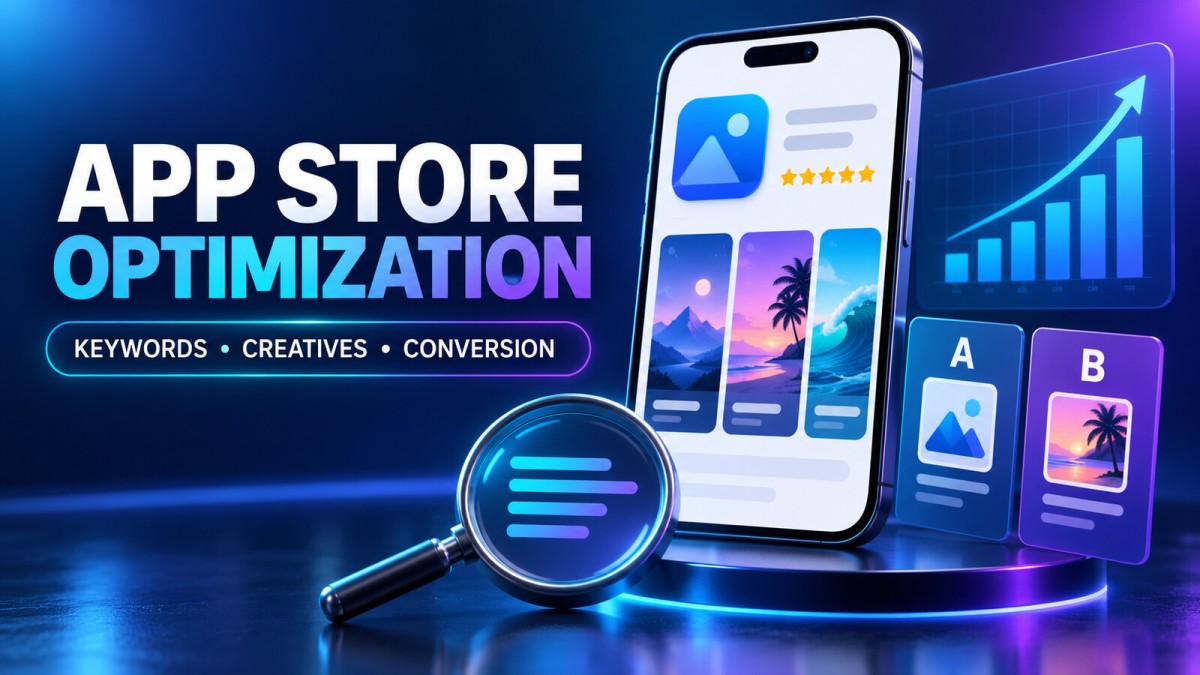
A well-designed app can still struggle if potential users cannot find it or understand its value. App Store Optimization (ASO) is the ongoing process of improving an app's store presence so that relevant people discover the listing, understand the product, and make an informed decision to install.
ASO is not simply adding popular keywords. It connects search relevance, visual communication, product quality and measurement. For poster makers, photo editors, logo creators, social-media design tools and other creative apps, the listing must quickly show what users can make, how easy the workflow is and what differentiates the app from similar options.
What App Store Optimization Includes
ASO supports two connected goals:
- Discovery: Helping a relevant audience find the app through search, categories, recommendations, browsing and external campaigns.
- Conversion: Helping store visitors decide whether the app matches their needs after seeing the icon, title, screenshots, video, description, ratings and other listing information.
Higher visibility without a clear listing may produce impressions but few installs. Strong creatives without relevant discovery may convert well but reach too few people. A practical strategy improves both while keeping every claim honest and consistent with the product.
Start With Product and Audience Clarity
Before researching keywords, define the app in one sentence. A useful positioning statement answers who the app is for, what task it helps them complete and what makes the experience different or easier.
For example, “A mobile design app for small businesses to create branded festival and social-media posts” is more specific than “the best graphic design app.” The specific version guides keyword research, screenshot stories and feature prioritisation.
Create two or three primary audience groups. A design app might serve local shop owners, social-media creators and freelance designers. Their needs overlap, but their search language and reasons to install can differ.
Build an ASO Research Base
Study real user language
Look at support tickets, search suggestions, review language, website search data and conversations with users. Record the exact phrases people use to describe their task. Useful keyword themes include:
- Core category terms such as poster maker or photo editor
- Feature terms such as background remover, templates or text on photo
- Use-case terms such as festival post, business banner or social-media design
- Audience terms such as small business, creator or marketing team
- Problem terms such as resize image, remove background or create logo
Relevance matters more than raw popularity. A broad keyword may generate many searches but attract people who do not need the product, weakening conversion and retention.
Review competitors without copying
Analyse direct competitors, adjacent tools and successful apps serving the same audience. Note their positioning, recurring keyword themes, first screenshots, review complaints, feature emphasis and localisation. The goal is to identify market expectations and gaps—not copy text, design or branding.
| Area | What to record | What it reveals |
|---|---|---|
| Title and subtitle | Category and benefit language | Common intent and positioning |
| Icon | Colour, symbol and complexity | Visual conventions and differentiation opportunities |
| First screenshots | Benefits shown before scrolling | Likely conversion priorities |
| Reviews | Praise, complaints and repeated requests | Unmet needs and trust concerns |
| Updates | Release frequency and notes | How actively the product is maintained |
Keyword Strategy for Google Play and the App Store
Google Play and Apple's App Store use different metadata structures and discovery systems. Do not paste the same keyword block everywhere. Check each platform's current official field requirements and policies before publishing because limits and rules can change.
Create a keyword map
Group keywords by intent:
- Primary category: The clearest description of the product.
- High-intent features: Capabilities closely connected to installation.
- Use cases: Outcomes users want to create or complete.
- Audience and industry: Groups the app is designed for.
- Local language: Natural terms used in each target market.
Assign the most important relevant themes to prominent metadata fields, then support them naturally in the longer description and creatives. Avoid keyword stuffing, repeated unnatural phrases, competitor trademarks and claims the app cannot prove.
Balance demand, relevance and competition
A practical keyword decision considers whether the app genuinely solves the searcher's need, whether enough people are likely to search for the phrase and whether the app can reasonably compete. Newer apps may gain more from specific use cases than from one broad category term.
Optimise the App Name and Supporting Text
The app name should be memorable, readable and consistent with the product's identity. Where platform rules allow supporting descriptive text, communicate the main category or benefit clearly. Do not turn the title into a long list of keywords.
A useful structure is brand or product name + clear category or primary outcome. Avoid absolute claims such as “number one,” “guaranteed growth” or “the only app” unless the platform permits the claim and it can be substantiated.
Write a Description That Helps People Decide
A store description should explain the product, not merely repeat keywords. The opening lines deserve special attention because many visitors will not read the full page.
- Opening value proposition: State the user, task and outcome.
- Main workflows: Explain how the app helps people create, edit or publish.
- Feature groups: Organise related features with clear headings or bullets.
- Use cases: Show who benefits and when.
- Trust and transparency: Explain subscriptions, account needs, offline limits or export conditions where relevant.
- Support path: Provide an official way to get help.
Use short paragraphs and plain language. Only mention features available in the submitted version.
Design an App Icon for Small Sizes
The icon must remain recognisable when shown very small and beside competing apps. It should communicate the brand rather than trying to show every feature.
- Use one clear visual idea.
- Create a distinct silhouette and strong contrast.
- Limit detail that disappears at small sizes.
- Keep colours consistent with the product.
- Avoid tiny unreadable words.
- Do not imitate platform badges, alerts or another app's identity.
Test the icon on a real phone, against light and dark surroundings, and beside competitor icons.
Create Screenshots That Tell a Story
Screenshots are conversion assets, not a gallery of random screens. Many visitors decide after viewing only the first few, so lead with the strongest benefits.
Suggested sequence for a digital design app
- Core promise: Show the primary creation outcome.
- Template range: Demonstrate useful categories without clutter.
- Editing workflow: Show text, image or layer controls clearly.
- High-value feature: Present background removal, brand kit or another differentiator.
- Use-case result: Show finished social, festival or business content.
- Export and sharing: Explain sizes or formats accurately.
Use benefit-led captions, large readable typography and authentic app screens. Do not hide important UI behind decorative mockups. If paid features are shown, do not imply that every shown capability is free.
Screenshot checklist
- Is the first screenshot understandable without the description?
- Can captions be read on a small device?
- Does each screenshot communicate one main benefit?
- Are visible screens from the current app version?
- Is the sequence consistent in colour, type and framing?
- Are localisation and right-to-left layouts handled correctly?
- Do screenshots avoid copyrighted content and misleading results?
Use Preview Video With a Clear Purpose
A preview video can demonstrate interactions that static images cannot explain. Start with the most valuable action, keep pacing focused and show the real product experience. A design app might demonstrate choosing a template, replacing an image, editing text and exporting the result.
Follow each store's current requirements for duration, orientation, audio, device footage and promotional content. Test without sound because many visitors may view it muted.
Localise for People, Not Just Languages
Translation is only the first step. Effective localisation adapts keyword choices, use cases, screenshot examples, cultural references, reading direction and visual expectations.
For an Indian design app, users may search in English, Hindi, regional languages or transliterated terms. Research each market separately, use fluent reviewers and avoid machine-translated copy that sounds unnatural or changes the feature meaning.
Ratings, Reviews and Product Quality
ASO cannot compensate indefinitely for crashes, confusing onboarding, aggressive ads or poor subscription transparency. Store performance is connected to the experience after installation.
Ask for ratings at a suitable moment after the user has received value and follow platform rules. Never buy reviews, reward only positive ratings or manipulate feedback. Respond respectfully, provide a support path and avoid requesting sensitive information publicly. Repeated complaints should inform the product roadmap and listing copy.
Test Store Creatives Scientifically
Major stores provide tools or workflows for testing parts of a product page. Use current official documentation to confirm availability and setup. A useful experiment changes one major variable at a time—such as the icon, first screenshot or headline concept.
- Write a specific hypothesis before starting.
- Choose one primary conversion-related metric.
- Keep unrelated listing elements stable.
- Run long enough to cover normal traffic variation.
- Avoid overlapping major campaigns when possible.
- Review country or audience differences where supported.
- Confirm that a winning creative also attracts users who retain and engage.
A higher install conversion rate can be misleading if the creative attracts the wrong audience and retention falls.
Custom Listings and Campaign Pages
Platform features may allow different store experiences for countries, campaigns or audience segments. These pages can match a specific message to a specific visitor—for example, festival templates for local-business campaigns or background removal for photo-editing ads.
The page and advertisement should tell the same story. If an ad promises a feature, the linked listing should show it early and the app should make it easy to find after installation.
Measure the Full ASO Funnel
| Stage | Question | Example signals |
|---|---|---|
| Discovery | Are relevant people finding the listing? | Search impressions, keyword visibility, browse traffic |
| Listing engagement | Do visitors understand the value? | Product-page views, creative engagement |
| Conversion | Do qualified visitors install? | Install or acquisition conversion rate |
| Activation | Do users reach the first useful outcome? | Onboarding completion, first design created |
| Retention | Does the app continue solving the problem? | Return usage, project creation, subscription retention |
| Quality | Are technical issues blocking growth? | Crashes, ANRs, support complaints, refunds |
Annotate releases, promotions, seasonality and paid campaigns. Do not credit every traffic increase to a metadata edit.
ASO for Digital Design Apps: What to Emphasise
Creative tools are visual, so users want evidence of output quality and ease of use. The listing should quickly answer:
- What can I create?
- How quickly can I create it?
- Can I customise templates?
- Which formats and sizes can I export?
- Which features are free, paid or credit-based?
- Does the app support my language and use case?
- How are my projects, photos and account data handled?
Show varied but realistic outputs. A few strong examples with clear captions usually communicate more than dozens of tiny designs.
Seasonal ASO Without Losing Core Positioning
Poster and design apps often see seasonal demand around festivals, elections, business events and social trends. Prepare templates and listing assets early, then use supported promotional features where appropriate.
Keep the evergreen positioning stable and use campaign-specific pages or creatives when available. Remove outdated claims and screenshots after the season.
Store Policy and Trust
Metadata, screenshots and videos must accurately represent the current product. Ensure privacy disclosures, subscription information, permissions, account deletion paths and data-safety information match actual behaviour and current platform requirements.
- Avoid keyword stuffing or irrelevant terms.
- Do not misuse competitor names or trademarks.
- Do not use fake awards, ratings, rankings or download numbers.
- Do not show UI that does not exist in the app.
- Avoid misleading “free” claims when purchase is required.
- Never use artificial reviews, installs or engagement.
- Do not imitate store controls or system warnings.
Check the latest Google Play and Apple developer documentation before every major listing update because field limits, review rules and feature availability evolve.
A Practical 30-Day ASO Workflow
Week 1: Research
- Define the primary audience and positioning.
- Collect user language and group keyword themes.
- Audit relevant competitors.
- Review support complaints and product quality issues.
Week 2: Listing rewrite
- Improve metadata within current rules.
- Rewrite the opening description and feature structure.
- Create a screenshot storyboard.
- Check every claim against the current app.
Week 3: Creative production
- Design icon or screenshot variants around hypotheses.
- Create localised versions for priority markets.
- Test readability on real phones.
- Prepare video only when it demonstrates meaningful value.
Week 4: Publish and measure
- Record baseline discovery, conversion, activation and quality metrics.
- Publish compliant changes or launch one controlled experiment.
- Annotate campaigns and app releases.
- Review early signals without ending tests prematurely.
Common ASO Mistakes
- Targeting high-volume keywords that do not match the app
- Using identical metadata and creatives in every country
- Putting features instead of benefits in the first screenshots
- Changing many variables at once
- Ignoring crashes, onboarding and retention
- Copying competitor language or identity
- Using fake UI or unsupported claims
- Treating ASO as a one-time launch task
Frequently Asked Questions
Is ASO only about keywords?
No. Keywords support discovery, while the icon, screenshots, video, ratings, description and product quality influence understanding and conversion.
How quickly do ASO changes produce results?
There is no guaranteed timeline. Indexing, traffic, competition, seasonality, quality and the size of the change all affect results.
Should Google Play and App Store listings be identical?
No. Keep the brand and product promise consistent, but adapt metadata, testing and promotional features to each platform.
How many keywords should an app target?
There is no useful universal number. Build a focused set of relevant themes, prioritise them by intent and update them using performance and user research.
Do more screenshots always increase conversion?
No. Quality and sequence matter more than filling every slot. The first screenshots should communicate the strongest benefits clearly.
Can paid advertising improve ASO?
Paid campaigns can increase qualified traffic and provide creative insights, but they do not replace an accurate listing or good product experience.
Final Takeaway
Effective ASO combines honest positioning, relevant keyword research, strong visual storytelling, product quality and disciplined measurement. For digital design apps, show real outputs, explain the creative workflow, make pricing and feature access clear, and tailor the listing to actual use cases. Treat every listing update as a testable product decision rather than a collection of marketing guesses.
Disclaimer: This article provides general educational information about app marketing. Store policies, metadata limits, ranking systems and developer tools can change. Always check the current official Google Play Console and Apple App Store Connect documentation before updating or submitting an app.
What's Your Reaction?
 Like
0
Like
0
 Dislike
0
Dislike
0
 Love
0
Love
0
 Funny
0
Funny
0
 Wow
0
Wow
0
 Sad
0
Sad
0
 Angry
0
Angry
0

Software developer with expertise in full-stack web development and financial market analysis, specializing in building tracking tools for trading metrics.







Comments (0)