

AI and Future Technology: A Practical Beginner’s Guide
Understand generative AI, robotics, smart devices, edge computing, AR/VR and quantum technology—plus practical skills, limitations, privacy and responsible-use principles.
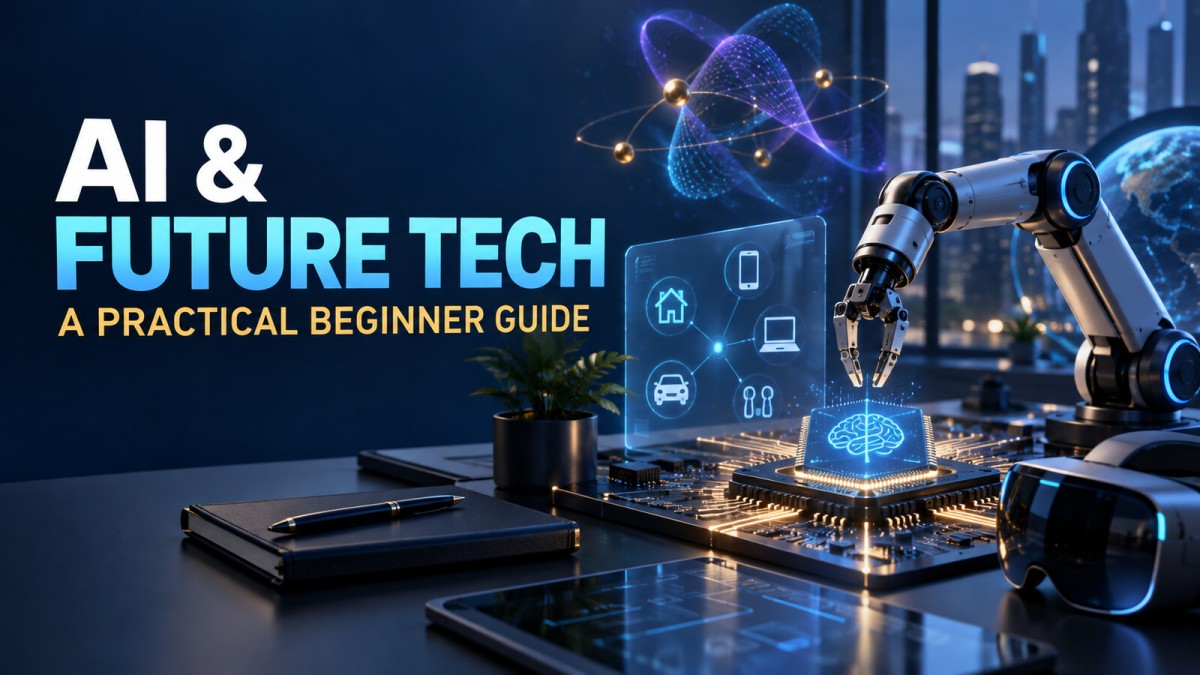
Artificial intelligence is no longer a subject reserved for research labs or science-fiction stories. It already helps people search for information, translate languages, detect fraud, recommend products, plan routes, create drafts and automate repetitive work. At the same time, phrases such as generative AI, robotics, smart devices and quantum computing are often used so loosely that a beginner may struggle to separate useful technology from marketing hype.
This guide explains the major ideas in plain language. The goal is not to predict a dramatic future. It is to help you understand what these technologies can do today, where they can fail and which skills are worth learning.
What Does “Future Technology” Really Mean?
Future technology is not one single invention. It is a group of developing tools that may change how people work, communicate, learn and solve problems. Some, such as AI assistants and connected devices, are already widely available. Others, including large-scale quantum computing, remain specialized and are still developing.
A sensible way to evaluate any new technology is to ask three questions:
- What problem does it solve?
- What evidence shows that it works reliably?
- What new risks, costs or responsibilities does it create?
This approach is more useful than deciding that every new tool is either revolutionary or dangerous.
Artificial Intelligence, Machine Learning and Generative AI
Artificial intelligence (AI) is a broad term for computer systems designed to perform tasks that normally require human-like abilities, such as recognizing patterns, understanding language or making recommendations.
Machine learning is one way to build AI systems. Instead of giving a computer a fixed rule for every situation, developers train a model using examples. The model learns statistical patterns and uses them to make predictions about new inputs.
Generative AI is a category of AI that produces new material, including text, images, audio, video or software code. It does not think or understand a topic in the same way a person does. It generates an output from patterns learned during training and from the instructions supplied by the user.
What Generative AI Is Good At
- Creating a first draft or outline
- Summarizing text that you are allowed to process
- Brainstorming alternatives and examples
- Rewriting material for a different audience
- Explaining code and suggesting possible fixes
- Producing early design concepts
Where It Can Go Wrong
An AI-generated answer can sound confident while being incomplete, outdated or simply incorrect. A model may invent names, statistics, references or technical details. It may also repeat bias present in its training data. This is why important outputs should be checked against reliable sources and reviewed by a knowledgeable person.
A useful rule is: use AI to accelerate thinking, not to outsource judgment.
Robotics and Automation
Robotics combines software, sensors and physical machinery. A robot receives information about its environment, processes that information and performs an action. Factory arms, warehouse machines, agricultural equipment, surgical systems and household cleaning devices are all examples of robotics.
Automation is a wider idea. A task can be automated without a physical robot. For example, software may sort invoices, flag unusual transactions or send a customer a delivery update automatically.
The most effective systems usually automate a clearly defined part of a process. Human oversight remains important when a decision affects safety, money, employment or access to essential services. Automation can save time, but a poorly designed process can also make errors faster and at a larger scale.
Smart Devices, the Internet of Things and Edge Computing
The Internet of Things (IoT) refers to physical objects that collect data and communicate through a network. Smart meters, fitness trackers, industrial sensors and connected security cameras are common examples.
These devices can help monitor equipment, reduce waste, track health indicators or improve convenience. However, each connected device may also create a privacy or security risk. Default passwords, unnecessary data collection and missing software updates are practical concerns.
Edge computing processes some data close to the device instead of sending everything to a distant data center. This can reduce delay, limit bandwidth use and, in some cases, keep sensitive information closer to its source. Edge systems do not eliminate the need for cloud services; the two are often used together.
A Basic Smart-Device Safety Checklist
- Change default passwords and use unique credentials.
- Enable multi-factor authentication when available.
- Install security and firmware updates.
- Review what data the device collects and shares.
- Disable features you do not use.
- Keep critical devices on a separate network when practical.
AR, VR and Spatial Computing
Augmented reality (AR) adds digital information to a view of the real world. A phone that previews furniture in your room is a simple example. Virtual reality (VR) places the user inside a mostly digital environment, usually through a headset. The broader phrase spatial computing describes systems that allow digital content to interact with physical space.
Beyond entertainment, these technologies can support training, product design, remote assistance, education and simulations. Their value depends on comfort, cost, accurate tracking and whether a three-dimensional experience actually improves the task. A headset is not automatically better than a normal screen.
What Is Quantum Computing?
Quantum computers use properties of quantum physics to process information in ways that differ from ordinary computers. A normal bit represents a 0 or 1. A quantum bit, or qubit, can be prepared and combined in more complex quantum states.
This does not mean a quantum computer will make every program faster. The technology is aimed at particular classes of problems, such as some scientific simulations, optimization research and cryptography-related work. Building stable, useful quantum systems is extremely difficult because quantum states are sensitive to noise and errors.
For beginners, the balanced takeaway is simple: quantum computing is an important field to watch, but it is not a replacement for laptops, phones or conventional cloud servers.
How These Technologies Work Together
The most interesting products often combine several technologies. A modern warehouse may use sensors to track inventory, edge computers to process data quickly, AI to forecast demand and robots to move goods. A healthcare tool may combine wearable sensors with software that identifies patterns for a professional to review.
This combination can improve efficiency, but it also increases complexity. Teams must consider data quality, cybersecurity, maintenance, accessibility and what happens when a system fails.
Skills That Will Remain Valuable
You do not need to become an AI researcher to benefit from new technology. The following skills are useful across many roles:
1. Problem Definition
Before selecting a tool, describe the problem, the desired outcome and the constraints. A clear problem statement prevents expensive technology from becoming a solution in search of a problem.
2. Data Literacy
Learn how data is collected, cleaned, interpreted and presented. Ask whether a sample is representative and whether the measurement supports the conclusion.
3. AI Instruction and Evaluation
Practice giving context, constraints and examples when using an AI assistant. More importantly, learn to test the result. Good prompting is useful; careful evaluation is essential.
4. Basic Coding and Automation
Spreadsheets, no-code tools, simple scripts and APIs can help you automate small tasks. Start with a real problem instead of trying to learn every programming language.
5. Domain Expertise
Technology becomes more valuable when combined with knowledge of finance, healthcare, education, manufacturing, marketing or another field. Domain knowledge helps you notice errors that a general-purpose system may miss.
6. Privacy, Security and Communication
Understand what information is sensitive, who should have access to it and how to explain a system’s limitations. Clear communication builds trust and supports better decisions.
Responsible AI: A Practical Checklist
Responsible use is not only a concern for large technology companies. Anyone using AI at work can apply a few basic controls:
- Define the purpose. Be clear about the task and how success will be measured.
- Minimize sensitive data. Do not paste confidential, personal or financial information into a tool unless your organization has approved that use.
- Verify important claims. Check names, dates, calculations, quotations and sources.
- Keep human oversight. A qualified person should review high-impact decisions.
- Test for different users. Look for uneven performance, accessibility problems and bias.
- Document the process. Record the tool, instructions, review steps and major limitations when accountability matters.
- Monitor after launch. Performance can change when users, data or conditions change.
Common Mistakes Beginners Should Avoid
- Believing every confident answer: fluency is not proof of accuracy.
- Uploading private information: check the service’s policy and your workplace rules first.
- Buying tools before defining the need: test a small use case before paying for a complex platform.
- Ignoring total cost: include setup, training, integration, review, security and maintenance.
- Automating a broken process: simplify the workflow before adding technology.
- Chasing every trend: choose tools that solve a recurring problem.
A Simple 30-Day Learning Plan
Week 1: Build the Vocabulary
Learn the differences among AI, machine learning, generative AI, robotics, IoT, edge computing, AR/VR and quantum computing. Write a one-sentence explanation of each concept in your own words.
Week 2: Try One Low-Risk Project
Use an AI tool to outline a presentation, organize non-sensitive notes or draft a checklist. Compare the output with your own work and record what needed correction.
Week 3: Learn Basic Automation
Create a spreadsheet formula, a simple no-code workflow or a small script that saves time on a repetitive task. Keep the process reversible and test it with sample data.
Week 4: Create a Mini Portfolio
Document the problem, the tool you used, the result, the limitations and what you learned. One honest case study demonstrates more understanding than a long list of trendy terms.
Frequently Asked Questions
Will AI replace all jobs?
No single answer applies to every occupation. AI can automate parts of a job, change workflows and create new tasks. Roles that combine judgment, responsibility, communication and specialized knowledge are likely to use AI differently from highly repetitive roles. The practical response is to learn how the tools affect your field and strengthen the skills that complement them.
Do I need advanced mathematics to learn AI?
You can use and evaluate many AI tools without advanced mathematics. Mathematics becomes more important if you want to design models or conduct research. Beginners can start with data literacy, logical thinking, basic statistics and practical projects.
Is generative AI always accurate?
No. It can produce convincing errors. Verify important information with trusted primary sources, especially for medical, legal, financial or safety-related decisions.
Is quantum computing the next version of a normal computer?
No. Quantum computers use a different computing approach and are designed for specialized problems. Conventional computers will continue to handle everyday applications.
Which future-technology skill should I learn first?
Start with a problem relevant to your work or studies. Learn enough about one suitable tool to solve a small task, then evaluate the result. Problem solving and domain knowledge are better starting points than chasing a fashionable platform.
Final Takeaway
AI and emerging technologies are powerful tools, not magic. Their real value comes from matching the right technology to a genuine problem, using reliable data and keeping people accountable for important decisions. A beginner does not need to master every trend. Start small, protect sensitive information, verify outputs and build practical projects that improve your understanding over time.
Editorial note: This article is for general educational purposes. Technology changes quickly, so confirm product features, security guidance and organizational requirements using current official documentation before making important decisions.
What's Your Reaction?
 Like
0
Like
0
 Dislike
0
Dislike
0
 Love
0
Love
0
 Funny
0
Funny
0
 Wow
0
Wow
0
 Sad
0
Sad
0
 Angry
0
Angry
0

Software developer with expertise in full-stack web development and financial market analysis, specializing in building tracking tools for trading metrics.






Comments (0)